
i18next
React Native & Expo Translation Delivery
Deliver approved wording to your React Native app, with bundled translations and a saved release for offline use.
TransLocale documentation · Updated September 17, 2026 · Markdown quick start
See wording change in an installed app
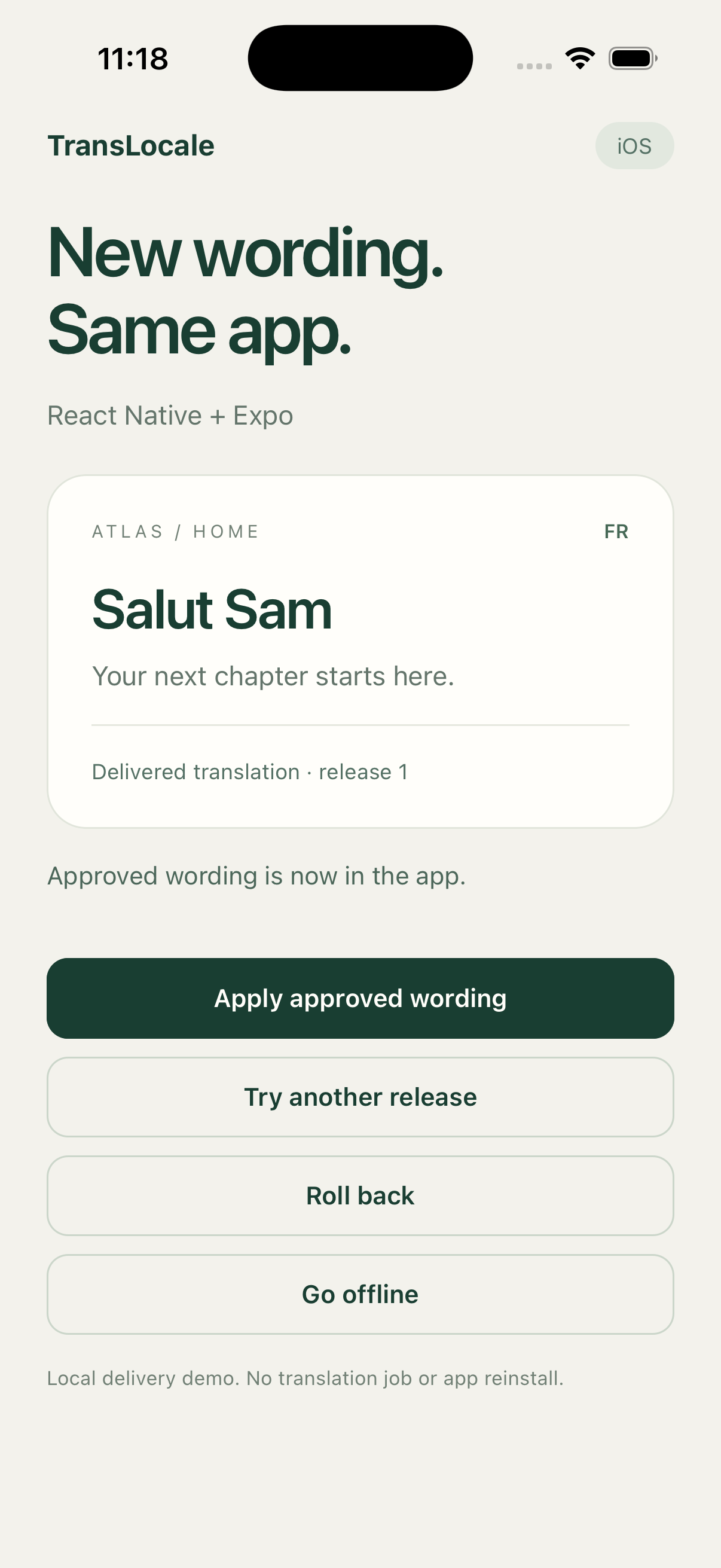
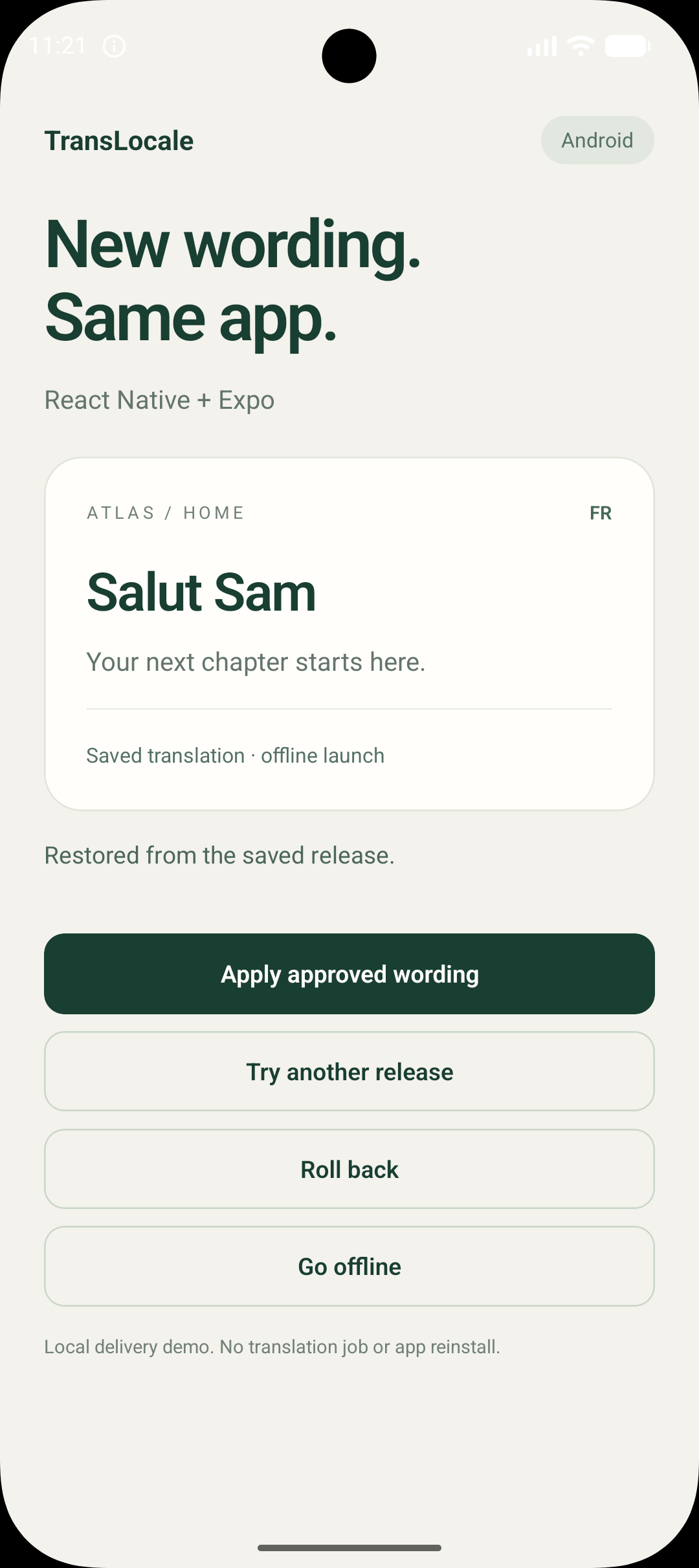
Apply a French wording update, try another release, roll back, and reopen the app offline. This recording uses an iOS Simulator and a local delivery fixture. It does not show a connection to the hosted service.
The demo is silent. Captions explain each step. Download the video.
Start with a project and credentials
Follow the setup guide with screenshots to create a project, add keys and translations, approve wording, and publish your first Preview release.
Open Releases → App delivery, select that release schema, and create a Preview credential. Choose Download configuration before leaving the page. This creates translocale-delivery.json with your project, channel, schema hash, API origin, and read-only delivery token. You do not need a separate authoring token for dashboard setup.
Install in your Expo app
Keep your existing i18next instance and bundled catalogs. This adapter supplies Expo streaming fetch, native SHA-256, and React Native AppState handling.
npm install @translocale/react-native@0.1.1 @translocale/i18next@0.2.6 i18next react-i18next
npx expo install expo-crypto expo-localization expo-sqlite
npm install @formatjs/intl-locale @formatjs/intl-pluralrulesWe tested Expo 57.0.23, React Native 0.86.3, i18next 26.4.2, and react-i18next 17.0.14. Use versions compatible with your app.
Load plural support before app initialization
The tested Hermes runtime needed Intl.Locale and Intl.PluralRules polyfills. Import plural data for every bundled language in your entry file.
import "@formatjs/intl-locale/polyfill.js";
import "@formatjs/intl-pluralrules/polyfill.js";
import "@formatjs/intl-pluralrules/locale-data/en.js";
import "@formatjs/intl-pluralrules/locale-data/fr.js";Prepare the files used by the example
For a new setup, use English and French in your project. Import these files into the dashboard as the common.json catalog with the i18next JSON v4 format. Save the same files in your app:
{ "welcome": "Hello {{name}}" }{ "welcome": "Bonjour {{name}}" }Replace PROJECT_UUID with the ID under Project settings → Credentials. Run this in the app directory after installing the packages. It creates translocale.config.json and src/translocale-resources.ts, preserving the existing source file. It does not need a token or start a translation job.
npx translocale-i18next init --api https://translocale.io --project PROJECT_UUID --source en --locales en,fr --namespaces commonIf you already have a TransLocale config, keep it and follow its paths instead of rerunning init. Put the downloaded configuration at src/translocale-delivery.json, add it to .gitignore, and supply it through your build environment.
Connect your bundled catalogs
Save this bootstrap in src/i18n.ts. It maps the dashboard catalog common.json to the app’s common namespace. Keep existing file identities and namespace paths in an existing app.
import { AppState } from "react-native";
import { getLocales } from "expo-localization";
import Storage from "expo-sqlite/kv-store";
import { createInstance } from "i18next";
import { initReactI18next } from "react-i18next";
import { createI18nextOptions } from "@translocale/i18next/runtime";
import {
  assertNativeIntl,
  createExpoDelivery,
  resolveNativeLocale,
} from "@translocale/react-native/expo";
import bundle from "./translocale-resources";
import descriptor from "./translocale-delivery.json";

if (descriptor.channel !== "preview" && descriptor.channel !== "production") {
  throw new Error("Download a valid delivery configuration from App delivery.");
}

assertNativeIntl(bundle.locales);
const i18n = createInstance(); // Reuse your existing instance in an existing app.
const language = resolveNativeLocale({
  supportedLocales: bundle.locales,
  sourceLocale: bundle.sourceLocale,
  preferredLocales: getLocales().map((locale) => locale.languageTag),
});
await i18n.use(initReactI18next).init({
  ...createI18nextOptions(bundle, { language, escapeInterpolation: false }),
  react: { bindI18n: "languageChanged loaded" },
});

const delivery = createExpoDelivery({
  i18n,
  bundle,
  catalogs: [{ file: "common.json", namespace: "common" }],
  delivery: {
    projectId: descriptor.projectId,
    channel: descriptor.channel,
    apiBaseUrl: descriptor.apiBaseUrl,
    schemaHash: descriptor.schemaHash,
    appVersion: "1.0.0",
    token: descriptor.deliveryToken,
    storage: Storage,
  },
});
void delivery.start();

// If the app follows system language, re-read it on foreground.
// If the user chose an explicit app language, retain that preference instead.
const localeSubscription = AppState.addEventListener("change", (state) => {
  if (state !== "active") return;
  const language = resolveNativeLocale({
    supportedLocales: bundle.locales,
    sourceLocale: bundle.sourceLocale,
    preferredLocales: getLocales().map((locale) => locale.languageTag),
  });
  void i18n.changeLanguage(language);
});

// On final owner cleanup, not ordinary backgrounding:
// localeSubscription.remove();
// delivery.dispose();Run this setup in your bootstrap function. Components keep using I18nextProvider and useTranslation. Keep all supported languages bundled. New keys, languages, or placeholder contracts need matching bundled files and a compatible app build.
See an update, then move to Production
With the app running in French, change the dashboard greeting from Bonjour to Salut while keeping the name placeholder. Save and approve it, create another release, and publish it to Preview. Call delivery.check() to check immediately. Wording-only updates reuse the existing schema, credential, and app build.
Check the Preview wording in the app, then promote that same release to Production. Create a separate Production credential and download its configuration for the production build. Changing only the channel in the JSON will not change a credential’s permissions.
Offline use and lifecycle
Startup displays bundled wording while validating saved releases. Automatic checks run every five minutes in the foreground, pause in the background, and resume when the app becomes active. Failed or rejected responses keep the last valid wording.
Use delivery.getState() and delivery.subscribe() for optional status UI. A cache value of "writing" means persistence is still in progress. Call dispose() on final owner cleanup, not when the app enters the background.
Authoring credentials and CLI imports belong outside the app. Delivery tokens are read-only and scoped, but can be extracted from installed apps. Refreshing translations never starts a paid translation job.
Bare React Native and verification limits
Import createReactNativeDelivery from @translocale/react-native and supply a streaming fetch implementation plus a SHA-256 function. The root entry point has no Expo imports. Storage must implement getItem and setItem, replace each value atomically, and use a stable adapter shared across clients.
Local iOS and Android Hermes builds passed updates, rollback, invalid-response rejection, Arabic plurals, foreground refresh, and offline process restart. Physical devices, installed staging or production connections, apps without Expo modules, and full RTL navigation remain unverified. Layout direction stays under your app's control.
For configuration details and troubleshooting, read the package README.